

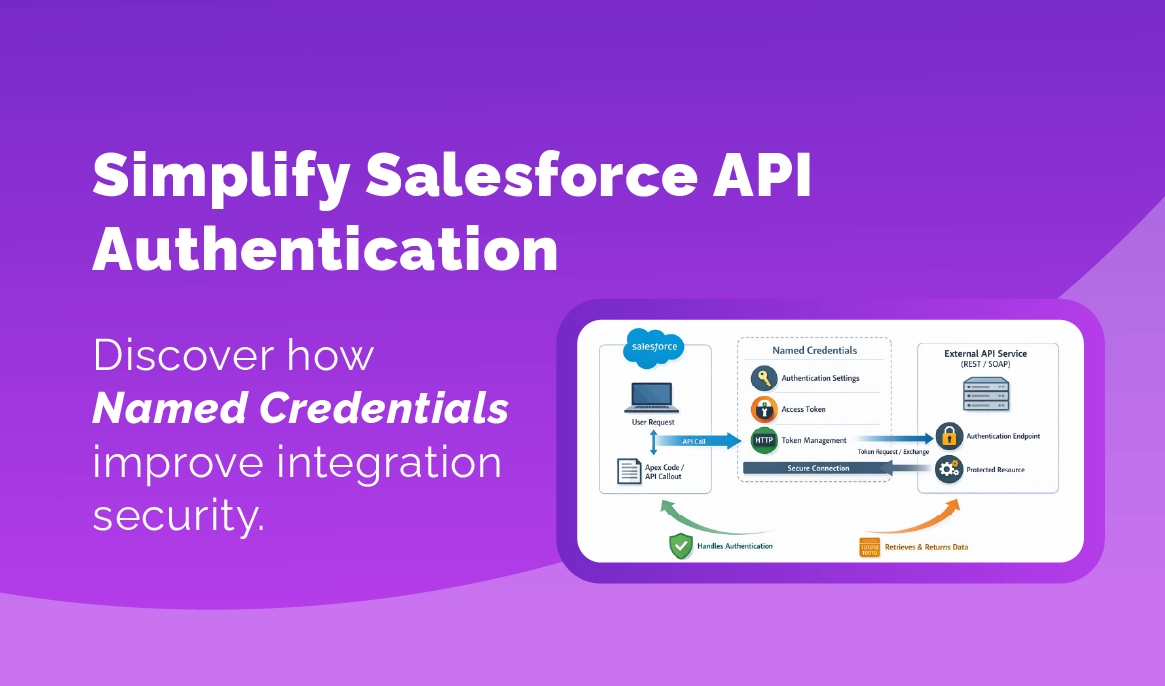
Salesforce Named Credentials for API Integration
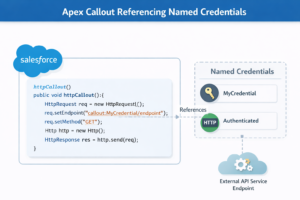
Salesforce resolves everything behind the scenes.
- The endpoint URL.
- The authentication method.
- The stored credential.
Developers focus on the integration logic instead of authentication plumbing. That separation becomes valuable very quickly.
Where integrations usually break
Here is something that shows up again and again. The integration works perfectly in testing. QA signs off, Users go live, and everything looks fine for a while.
Then one morning the integration stops running. This happens more often than most teams expect. And the reason is usually not the API request itself, It is authentication.
One client in the retail space ran into this with a shipment tracking integration. Salesforce was calling a logistics provider API every hour to pull tracking updates.
- Then it stopped.
- Orders stopped updating.
- Customer service started asking questions.
The root cause turned out to be very simple. Their API key had expired and the credential was stored inside an Apex class. Someone had hard coded it months earlier, that no one remembered.
This kind of thing sounds obvious when you explain it later. But during fast implementation cycles it happens easily.
Named Credentials prevent this exact situation. Credentials live in configuration, not code. If something changes, an admin updates the credential instead of modifying the integration logic. Much safer.
Guide to Salesforce API integrations for enterprise systems “Salesforce Integration Best Practices”
Why architects prefer Named Credentials
From an architecture perspective, Named Credentials bring consistency. That is really the main benefit.
Most organizations eventually run several integrations at the same time. Sometimes a lot more than expected. A typical Salesforce environment might connect to:
- ERP systems
- payment gateways
- shipping providers
- marketing automation platforms
- identity providers
- data warehouses
Each one requires authentication.
If every integration handles authentication differently, maintenance becomes chaotic. Developers spend time hunting down where credentials are stored. Security teams start asking uncomfortable questions. And documentation becomes harder to maintain.
When Named Credentials are used consistently, integrations become easier to understand. You can simply say, “This integration uses the ShippingAPI Named Credential.” Anyone familiar with the org knows exactly where to look.
Another benefit shows up when teams start using OAuth.
OAuth integrations can become complicated if handled directly in code.
- Token refresh logic.
- Expiration handling.
- Access token management.
Salesforce can handle a lot of that automatically through Named Credentials. Which is honestly one of the reasons many architects push teams toward using them early.
A small observation from real projects
Most teams do not adopt Named Credentials immediately. They adopt them later. Early integrations are often built quickly. The priority is simply getting the data moving. Which is understandable. But after the third or fourth integration, the environment starts feeling messy. Credentials live in different places. Some integrations require code changes when authentication changes.
Others do not. That is usually when someone says, “We should standardize this.” At that point teams start migrating integrations to Named Credentials. It works. It just takes extra effort. Starting with them from the beginning is easier.
Key Takeaways
- Named Credentials store authentication details securely inside Salesforce
- They remove the need to embed credentials in Apex code
- Integration maintenance becomes easier when authentication changes
- Security teams gain better control over API credentials
- They make large integration environments easier to manage
Why this matters for businesses
From a business perspective, integrations are really about trust in the CRM. Sales teams trust Salesforce because they expect the data to be accurate. Operations teams rely on it to see order status. Marketing relies on it for campaign activity. Support relies on it for customer history.
When integrations fail, the data stops moving. And once that happens, users start questioning the system. That is not a technical problem anymore. It becomes an operational one. Authentication issues are one of the most common causes of integration failures. Which is why handling credentials properly matters more than people initially think.
What companies should do next
If your organization already runs several Salesforce integrations, it is worth reviewing how authentication is currently handled.
Look at where credentials are stored. Are they inside Apex code? Custom settings? Environment variables?
If so, it might be worth gradually moving those integrations toward Named Credentials. It does not have to happen all at once.
Even migrating a few critical integrations can reduce risk. Also consider documenting integrations clearly. Architecture diagrams should include authentication layers, not just data flow. This helps new developers understand the system much faster.
Closing thoughts
Salesforce integrations rarely fail because Salesforce cannot connect to another system. The platform is actually very good at that part. More often the failure happens because authentication was treated as a small detail during development.
Then months later the credential changes and the integration quietly stops working. Named Credentials do not remove every integration challenge. But they solve one of the most common ones. And in a growing Salesforce environment, that tends to matter a lot.