The Real Cost of Ignoring Salesforce Governor Limits
Introduction
Salesforce Governor Limits are one of those things most teams don’t think about, until something breaks. And when it does, it rarely breaks politely.
Picture this. A sales team is finally excited about Salesforce. Dashboards look good. Automations are live. Marketing is pushing leads faster than ever. Then, mid-quarter, records stop saving. A flow fails. A batch job crashes overnight. Suddenly, Salesforce feels “unreliable.”
And here’s the kicker, it’s not the platform. It’s the limits.
This is a situation we’ve encountered repeatedly across client engagements. Let’s talk honestly about what ignoring Governor Limits really costs businesses, and why it’s almost never just a technical problem.
Understanding Governor Limits (And Why They Exist)
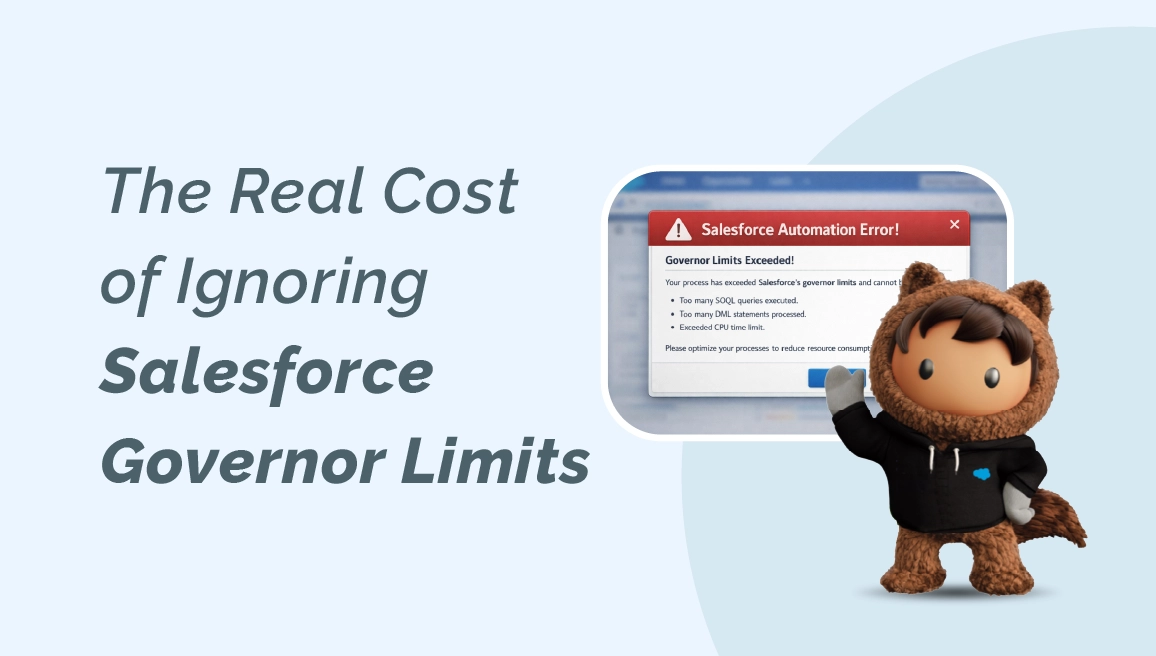
Governor Limits are usage thresholds built into the platform to ensure fair resource consumption in a multi-tenant environment. In simple terms, Salesforce protects everyone by preventing any single org from hogging shared resources.
Think of it like electricity in a commercial building. You can plug in what you need, but not run a data center off a single office socket.
These limits apply to things like:
- SOQL queries
- DML operations (insert, update, delete)
- CPU time
- Heap size
- Callouts
Now, Salesforce documents these limits clearly, very clearly, on its official resources and Salesforce Trailhead modules. Yet, in real projects, they’re often treated as an afterthought.
Why? Because early-stage implementations rarely hit them. And that’s where the trouble starts.
Governor Limits in Real-World Implementations
Here’s where theory meets reality.
During the build phase, everything works fine. Data volumes are small. Users are limited. Automations feel lightweight. But then, growth happens. More users. More integrations. More flows layered on top of flows.
And suddenly, that “simple” trigger runs 200 times instead of 20.
We’ve seen teams stack automations like pancakes. Individually harmless. Collectively? A CPU timeout waiting to happen.
A Consultant Story: When Limits Turn into Lost Revenue
A retail client once came to us frustrated. Their Salesforce org was technically “working,” but orders were failing intermittently. No clear pattern. No obvious bugs.
We dug in. The issue wasn’t a single flow or trigger, it was everything together.
- Multiple record-triggered flows firing on update
- Triggers not bulkified (classic mistake)
- An integration retrying failed transactions… repeatedly
Individually, each piece made sense. Together, they crossed Governor Limits during peak sales hours.
And that’s the part most people miss. Governor Limits don’t just cause errors. They introduce unpredictability. And unpredictability kills trust.
Sales reps stop relying on Salesforce. Ops teams create spreadsheets “just in case.” Leadership starts questioning ROI.
Honestly, that’s where the real cost lives.
The Hidden Costs of Ignoring Salesforce Governor Limits
1. Operational Slowdowns
When limits are breached, processes fail silently or partially. Orders don’t sync. Cases don’t escalate. Teams waste hours figuring out what went wrong, again.
2. Technical Debt Accumulation
Quick fixes pile up. Temporary bypasses become permanent. Before you know it, even small changes feel risky. We’ve learned the hard way that clarity early on saves months later.
3. Damaged User Trust
Once users feel Salesforce is unreliable, adoption drops. And rebuilding confidence? That’s harder than fixing code.
4. Escalating Consulting Costs
Emergency fixes always cost more than thoughtful design. Always.
5. Missed Growth Opportunities
When systems can’t scale safely, teams hesitate to launch new campaigns, integrations, or automation ideas.
Key Takeaways (Worth Bookmarking)
- Governor Limits are not optional guidelines, they’re architectural boundaries
- Problems often appear only at scale, not during initial builds
- User trust erodes faster than system performance
- Most limit issues are preventable with smarter design
- Proactive reviews cost less than reactive firefighting
Short list. Big implications.
Why Governor Limits Matter for Growing Businesses
If you’re a growing company, Governor Limits are actually your early warning system.
They force discipline. They encourage efficiency. And when respected, they lead to cleaner architecture and better long-term Salesforce ROI.
For consulting partners, limits separate tactical builders from strategic advisors. Anyone can make Salesforce “work.” Fewer can make it scale gracefully.
This is especially critical for:
- High-volume sales orgs
- Marketing automation-heavy environments
- Integration-led ecosystems
- Data Cloud and AI-driven use cases
And yes, Agentforce, AI, and real-time insights only raise the stakes.
What Companies Should Do Next (Practical, Not Overwhelming)
Let’s keep this grounded.
- Audit Your Automations
Review flows, triggers, and process builders. Look for redundancies and overlapping logic. - Design for Bulk from Day One
Even if you think volume is low, trust us, it won’t stay that way. - Monitor Limits Proactively
Salesforce provides tools. Use them before users complain. - Invest in Ongoing Salesforce Support
Not everything needs a big reimplementation. Sometimes, steady oversight is the smarter play.
If you want deeper guidance, read our internal guide on Salesforce integration best practices, it breaks down how scalable architecture really works in practice.
For official documentation, Salesforce’s own guide on Governor Limits and Execution Contexts is a must-read on Salesforce Trailhead.
A Conversational Close (Because This Is Real Life)
Let’s be honest, not every Salesforce project fails because of Governor Limits. But when things do fall apart unexpectedly, limits are almost always in the background.
Ignoring them doesn’t just risk performance. It risks confidence, momentum, and growth.
At The Pinq Clouds, we help teams design Salesforce systems that don’t just work today, but keep working when your business doubles, pivots, or surprises itself.
And if you’ve ever survived a discovery workshop, you know exactly why that matters.