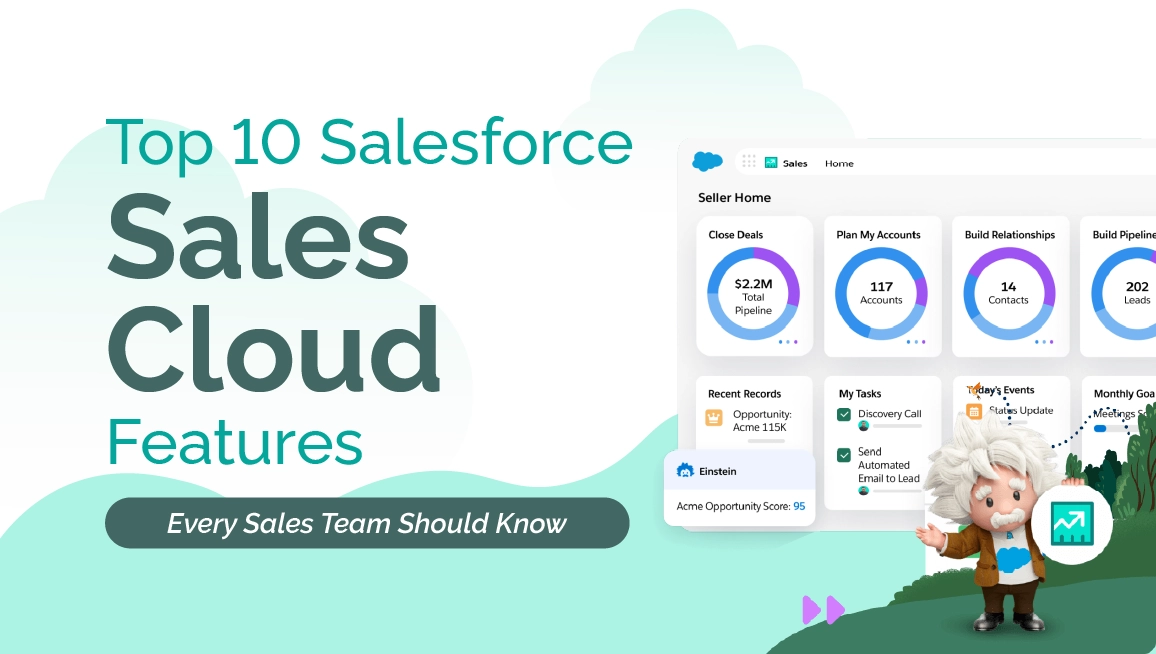
Top 10 Salesforce Sales Cloud Features
Introduction
If you’ve ever watched a sales team juggle leads in spreadsheets, update deals in three different tools, and still miss follow-ups — you know exactly why Salesforce Sales Cloud features matter. Sales teams today don’t just want a CRM; they want something that moves as fast as they do. Something that keeps them sharp, not slowed down.
And here’s the reality check: Sales Cloud isn’t just “another CRM.” With $8.3B in FY25 revenue, it’s one of the most trusted sales platforms on the planet. There’s a reason so many high-performing teams bet their pipeline on it.
So let’s walk through the top 10 Sales Cloud features that genuinely improve day-to-day selling. Not theory… the practical stuff reps actually use between coffee, calls, and closing.
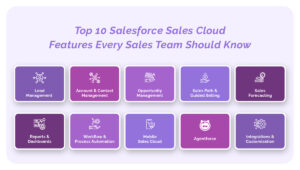
1. Lead Management — Capture Every Opportunity Before It Slips Away
Losing a lead because it wasn’t tracked should count as a universal sales crime. It happens far more than teams admit. Lead Management in Sales Cloud quietly removes that pain by pulling leads from your website, ads, events, social, manual entries — everything — into one clean queue.
What makes it powerful?
- Prioritize leads with scoring
- Auto-assign to the right rep
- Track the full journey from first touch to conversion
I’ve seen this before — the moment a CRM fixes lead chaos, response times jump and conversion nudges upward almost immediately.
2. Account & Contact Management — The 360° View Sales Reps Swear By
Honestly, nothing slows momentum like scattered customer information. Sales Cloud solves that with a tidy, structured customer 360° view. Reps can see every interaction, related contacts, past deals, open cases, org hierarchy — everything needed for conversations that don’t start with “Remind me who you are again?”
This isn’t just about convenience. For growing teams, this ensures ownership clarity, reduces data mistakes, and gives managers confidence that everyone’s looking at the same truth.
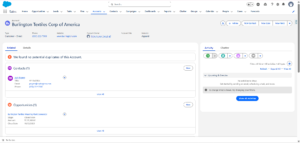
3. Opportunity Management — The Heartbeat of the Sales Pipeline
Once a lead warms up, Opportunity Management steps in like a virtual sales assistant. It maps out each deal clearly — stages, stakeholders, products, quotes, collaboration, even revenue expectations.
Reps can:
- Track deal stages visually
- Add products and quotes
- Post internal updates
- Forecast revenue in real time
I’ve learned the hard way that clarity early on can save months later. No feature embodies that more than the Opportunity Kanban.
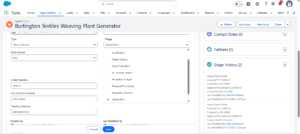
4. Sales Path & Guided Selling — Because Guessing Isn’t a Strategy
Let’s be honest — not every rep interprets “follow the sales process” the same way. Sales Path gives them a visual, step-by-step guide on what to do at each stage. It’s structured but not suffocating.
Teams use it to:
- Highlight key fields
- Add best practices
- Provide coaching tips inline
And if you’ve ever trained new reps, you know how big of a win this is.
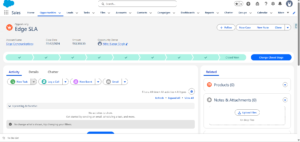
5. Sales Forecasting — Predictable Revenue Is a Manager’s Best Friend
Forecasting is where hope meets reality. And without data, hope loses. Sales Cloud’s analytics help leaders see what’s real in the pipeline — and what’s wishful thinking.
With forecasting, you can:
- View revenue predictions weekly or quarterly
- Spot gaps early
- Compare targets vs actuals
- Coach reps based on insights
Here’s the kicker: teams that adopt forecasting discipline almost always improve win rates within a quarter.
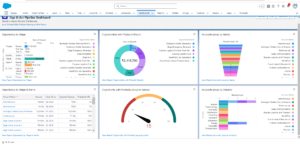
6. Reports & Dashboards — Instant, Visual, Decision-Ready Insights
If you’ve ever survived a Monday review meeting, you know dashboards are lifesavers. Sales Cloud offers customizable, real-time reports for almost anything you care about — pipeline health, lead conversion, activity tracking, win/loss patterns.
Dashboards refresh automatically, which means… no more spreadsheets. Seriously, none.
7. Workflow & Process Automation — Remove the Busywork
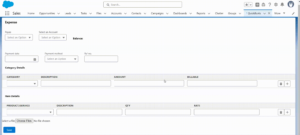
Sales reps want to sell, not click buttons. Automation in Sales Cloud reduces the grunt work — follow-ups, task assignments, approvals, record creation. And when needed, you can extend it with Apex.
A small example:
Just imagine how many hours disappear when processes simply… run by themselves.
8. Mobile Sales Cloud — Selling on the Go, Without the Chaos
Modern sales doesn’t happen behind a desk. Reps are everywhere — client visits, demos, coffees, airports. The Salesforce mobile app keeps them plugged in with real-time access to leads, accounts, tasks, dashboards, and even call logging.
This reduces delays and increases data accuracy because updates happen immediately, not “when I get back to the office… someday.”
9. Agentforce — AI That Doesn’t Just Predict, It Acts
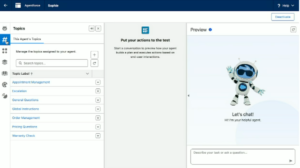
A lot of CRM AI tools talk a big game but end up being fancy report generators. Agentforce is different — it actually takes action.
One client thought “AI agents” meant outsourcing. Not even close. This is about intelligent assistants that qualify leads, respond instantly, schedule tasks, and guide reps with relevant prompts.
For high-volume teams, this can be the difference between reacting late and winning early. And with Salesforce investing heavily in agent-based AI, Agentforce is becoming the real engine of execution inside Sales Cloud.
Learn more about agent-driven CRM from Salesforce’s own blog:
https://www.salesforce.com/blog/
10. Integrations & Customization — Scale Without Breaking Everything
Businesses evolve. Processes change. Tools multiply. Sales Cloud is built to adapt, connect, and grow with you.
You can integrate with:
- Email platforms
- ERPs
- Marketing systems
- Third-party apps
And customize using:
- Flows
- Validation rules
- Apex
- Custom objects & fields
This flexibility is the quiet superpower behind long-term CRM success.
Key Takeaways
- Sales Cloud goes far beyond basic CRM tracking.
- AI, automation, and guided workflows directly improve rep productivity.
- Pipeline visibility becomes clearer and forecasting becomes disciplined.
- Integrations ensure the system grows with the business.
- Teams close more deals simply because fewer things slip through the cracks.
Why This Matters for Business Leaders
Sales Cloud isn’t a tool; it’s an operational backbone. The right setup impacts:
- Revenue predictability
- Rep performance
- Customer experience
- Collaboration
- Data consistency
When deployed well, it creates a selling environment where opportunities move faster and decisions are backed by real numbers — not gut feelings.
What Companies Should Do Next
Here’s my consultant side talking:
Don’t implement all features at once.
Start with your bottlenecks. Is it lead quality? Forecasting? Rep activity? Data chaos?
Then expand into automation, mobile productivity, AI agents, and custom integrations.
If you want a deeper look at modern Salesforce best practices, check out our latest blog on How to Integrate Salesforce with Twilio.
A Conversational Close
Sales Cloud isn’t just a CRM anymore — it’s a complete sales execution ecosystem. And if you’re ready to make it the engine of your sales org, that’s where we come in.
At The Pinq Clouds, we help teams turn Salesforce into predictable revenue. From process design to AI-powered execution, we make sure your CRM actually helps your reps sell — not stress.