
Salesforce Flow Spring ’26: What It Unlocks for Your Org
Introduction
Salesforce Flow has come a long way. What started as a simple automation tool is now running some of the most critical business processes inside Salesforce orgs.
And Spring ’26?
It doesn’t try to wow you with one massive feature. Instead, it quietly fixes the things that used to slow teams down.
I’ve seen this pattern before — when automation tools become easier to use, adoption follows. When they don’t, teams quietly work around them. Spring ’26 clearly leans toward the first path.
Let’s walk through the changes that actually matter when you’re building flows for real users.
1. Better Control Over How Flow Screens Look and Feel
Let’s be honest — screen flows have always been functional, but rarely beautiful.
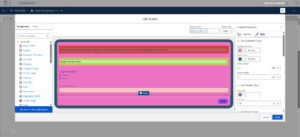
Spring ’26 finally gives admins control over how flow screens look, not just how they work. You can now style backgrounds, borders, text, and buttons directly inside Flow Builder. And yes, individual components like text fields or date inputs can be styled separately too.
I’ve learned the hard way that visual clarity matters. When users can immediately tell what’s important on a screen, error rates drop. Completion rates go up. Support tickets disappear.
This update helps flows feel less “system-generated” and more like something built intentionally for humans.
2. Showing Messages Without Hacks (At Last)
If you’ve ever built a flow just to display a simple success or warning message, you know how awkward it used to be.
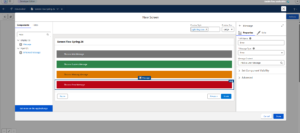
Now there’s a Message screen component. Clean. Purpose-built. No creative gymnastics required.
You can display:
- Informational messages
- Success confirmations
- Warnings
- Errors
It fills a gap many teams had simply learned to work around, and once it’s available, it quickly becomes part of everyday flow design.
3. Multi-Step Flows That Don’t Overwhelm Users
Long flows tend to break trust. Users see a massive form and think, “I’ll come back to this later.” Spoiler: they rarely do.
Spring ’26 introduces multi-page flow experiences, allowing you to break long processes into clear steps.
Breaking the process into smaller screens changes how users approach it. One step at a time feels far easier than a single long form. Progress feels real. And users stay engaged.
This is especially valuable for onboarding, Experience Cloud journeys, and internal request processes.
4. Automation That Responds to File Uploads
Here’s a practical one.
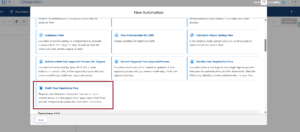
Record-triggered flows can now respond to file activity — uploads, updates, or links to records. And no, you don’t need Apex for it.
I’ve seen clients struggle with this exact gap:
Many teams can easily react to record updates, but file uploads often go unnoticed in automation.
Now you can:
- Notify teams when contracts are uploaded
- Validate required documents
- Trigger approvals automatically
Files are finally first-class citizens in Flow automation.
5. Debugging Without Repeating Yourself
Debugging flows used to feel repetitive. Enter values. Test. Change logic. Repeat everything again.
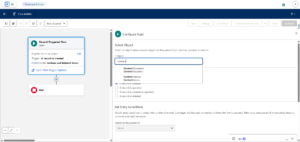
Spring ’26 quietly fixes this by remembering the input values you used during debugging.
It’s a small improvement — but trust me, it saves hours over time. Especially when you’re testing complex decision paths.
Sometimes productivity isn’t about new features. It’s about removing friction.
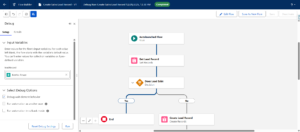
6. Navigating Large Flows Feels Natural Now
If you’ve ever built a large flow, you know the struggle. Endless dragging. Zooming. Re-centering.
Spring ’26 improves canvas navigation with natural scrolling using:
- Mouse
- Trackpad
- Keyboard
- Scrollbars
It sounds basic. But when flows grow, usability becomes everything. This change keeps you focused on logic instead of fighting the UI.
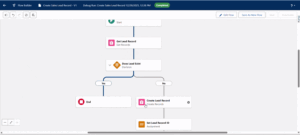
7. Visualizing Records with a Kanban View Inside Flows
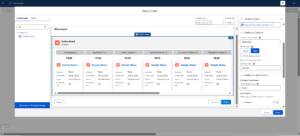
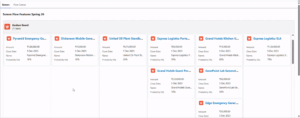
Salesforce introduces a Kanban Board screen component — and while it’s read-only, it’s surprisingly useful.
You can show records grouped by status or stage directly inside a flow screen. It gives users context without forcing them to leave the process.
Think of it as situational awareness, not editing power. And sometimes, that’s exactly what users need.
8. Better Insight into Flow Performance
Flows don’t live in isolation anymore — they power revenue operations, service processes, and compliance workflows.
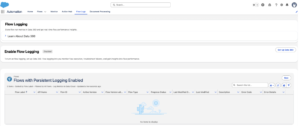
Spring ’26 introduces Flow Logging, giving admins better visibility into:
- Execution behavior
- Errors
- Performance patterns
This helps teams troubleshoot faster and understand where optimizations are needed. It’s especially valuable for orgs running dozens — or hundreds — of flows.
9. Keeping Complex Logic Readable
Large flows get messy. Multiple decisions, nested loops, long branches — you’ve seen it.
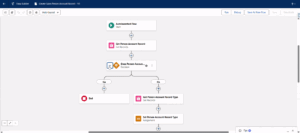
Now, you can collapse and expand logic elements on the canvas. It doesn’t change how flows run, but it changes how they feel to maintain.
Clarity early on saves months later. I’ve learned that one the hard way.
10. Preview Files Without Leaving the Flow
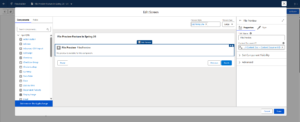
Finally, users can preview uploaded files directly inside a flow.
This is incredibly useful for approvals, verifications, and review steps. Users don’t have to open new tabs or lose context. They see what they need — and move forward.
Smooth experiences build confidence. And confident users finish flows.

Conclusion
Spring ’26 doesn’t try to reinvent Salesforce Flow. Instead, it refines it — thoughtfully.
Better design control. Clearer messaging. Easier debugging. The updates focus on practical automation scenarios that show up in real projects, especially for teams managing flows day after day.
For teams already relying on Flow, Spring ’26 is a good moment to review what’s in place and clean up areas that were previously hard to refine. And if you’re just getting started, Spring ’26 makes Flow feel more approachable than ever.
Automation works best when it feels natural. Spring ’26 moves Flow firmly in that direction. Talk to us or send us an email at contact@thepinqclouds.com to review and optimize your Salesforce Flows for Spring ’26